Penguin Geeks | Demystifying Workflow Engines: The Technology Behind Enterprise Approval Automation
Article images may contain Chinese text.

A workflow is the automation of part or all of a business process in a computer application environment. It is an abstract, generalized description of a work process and the business rules governing its individual steps.
The main problem a workflow addresses is how to use computers to automatically pass documents, information, or tasks among multiple participants according to predefined rules to achieve a business objective.
Simply put, a workflow is a process-based abstraction of business activities. The WFMC (Workflow Management Coalition) provides the following workflow reference model:

One common workflow use case in office automation (OA) is the approval process. Different business scenarios involve different approval requirements. Developing a separate set of code for every approval workflow would create substantial code redundancy and sharply increase development effort.
This calls for a business-independent, highly abstracted and encapsulated engine to handle these processes in a unified way. The engine allows workflows to be configured flexibly and automatically manages state changes and process transitions according to those configurations. This is a workflow engine.

In a workflow, the engine executes tasks according to predefined rules. How those tasks are executed must be configured using a workflow designer. A workflow designer is a tool or software application for creating, editing, and managing business processes.
It allows users to intuitively design and simulate business processes through a graphical interface without writing large amounts of code. Workflow designers are widely used in enterprise business process management (BPM), workflow automation, and service orchestration.
With a workflow designer, users can define elements such as individual steps, decision points, participants, and data flows. These tools often provide drag-and-drop components representing different operations, such as task assignment, approval processes, and conditional checks, with connectors showing the relationships and execution order among these elements.
Common Workflow Designers on the Market
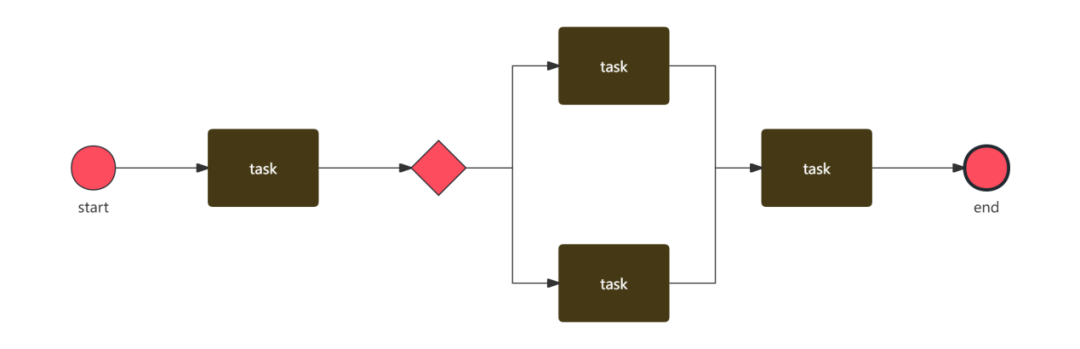

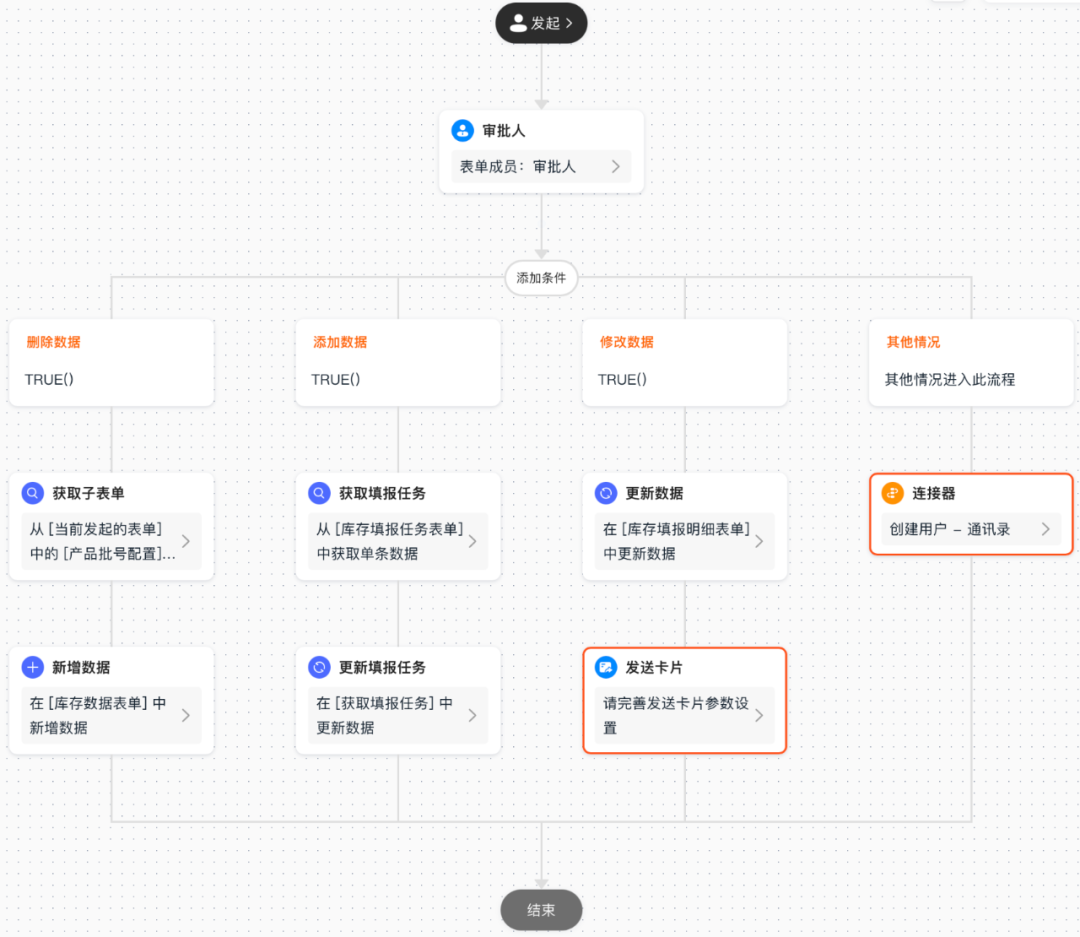
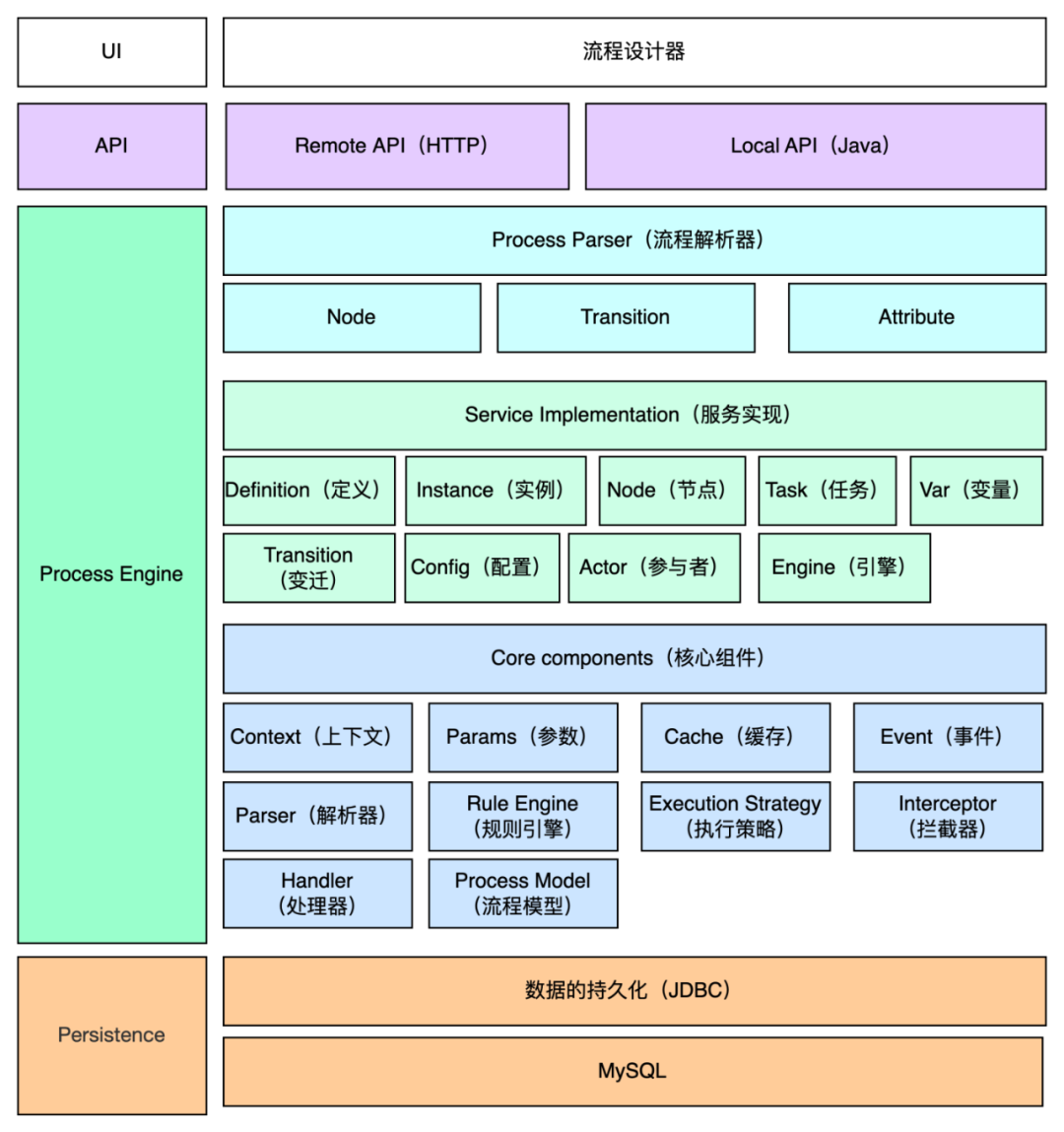
The architecture can broadly be divided into four parts: the designer, APIs, the core workflow engine, and data persistence.
System data primarily comes from the organizational structure. Task assignees and approvers configured for nodes can be selected from that structure.
Business data primarily consists of selected form data, which can support branching decisions at conditional branch nodes based on the data in the form.
The Diagram Below Shows the Architecture of Weiming Penguin's Workflow Engine
The Relationship Between Workflow Engines and Approval Workflows
In enterprise applications, the most common use case for a workflow engine is the approval process.
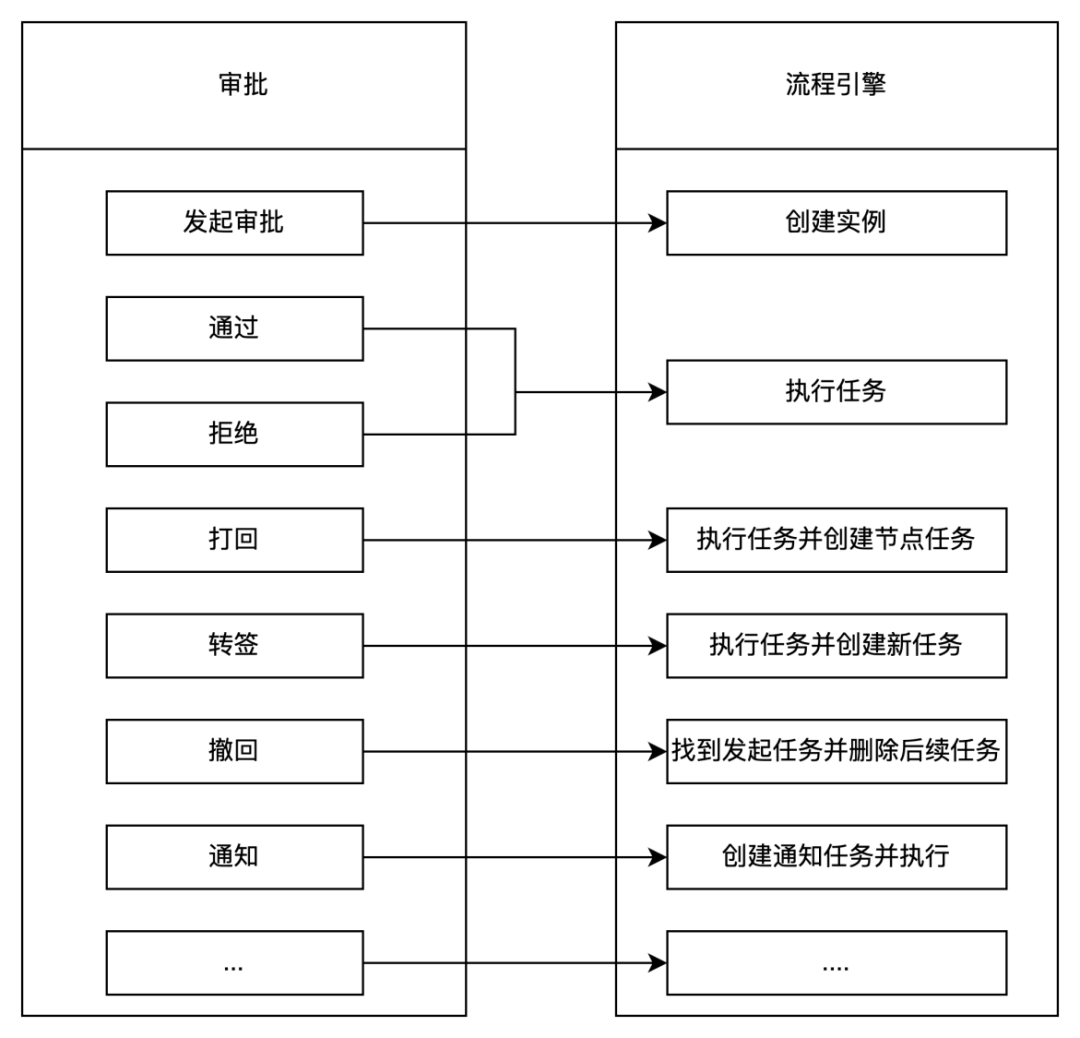
An approval workflow is a business-logic concept describing a sequence of tasks and decisions to be completed, while a workflow engine is a technical implementation tool that actually executes those tasks and decisions. An approval workflow can be regarded as a specific instance executed by the workflow engine. In particular, when approval steps require human intervention, the workflow engine guides participants through the corresponding approval actions according to the approval workflow's definition and continues to move the process forward.
In approval scenarios, an approval module is usually added as an additional layer outside the workflow engine. This module primarily handles approval-related business logic, such as approval status, processing status, initiator, current approver, current progress, and to-do lists, as well as certain data access permission logic. Handling these functions in the approval module keeps the workflow engine independent and decoupled from business logic. The workflow engine is responsible only for process transitions.
In summary, as an important component of enterprise information systems, workflow engines play an irreplaceable role in automating business processes and improving work efficiency. As technology advances, continually optimizing workflow engine architecture not only helps address existing problems, such as poor user experience and difficulty integrating with other systems, but also brings enterprises greater flexibility and capacity for innovation. Through continuous improvement, we believe workflow engines will better support enterprise digital transformation and help companies stand out in intensely competitive markets.
Looking ahead, we will continue to follow the latest technology trends and actively explore ways to integrate cutting-edge technologies such as artificial intelligence and big data with workflow engines, striving to create greater value for customers.